
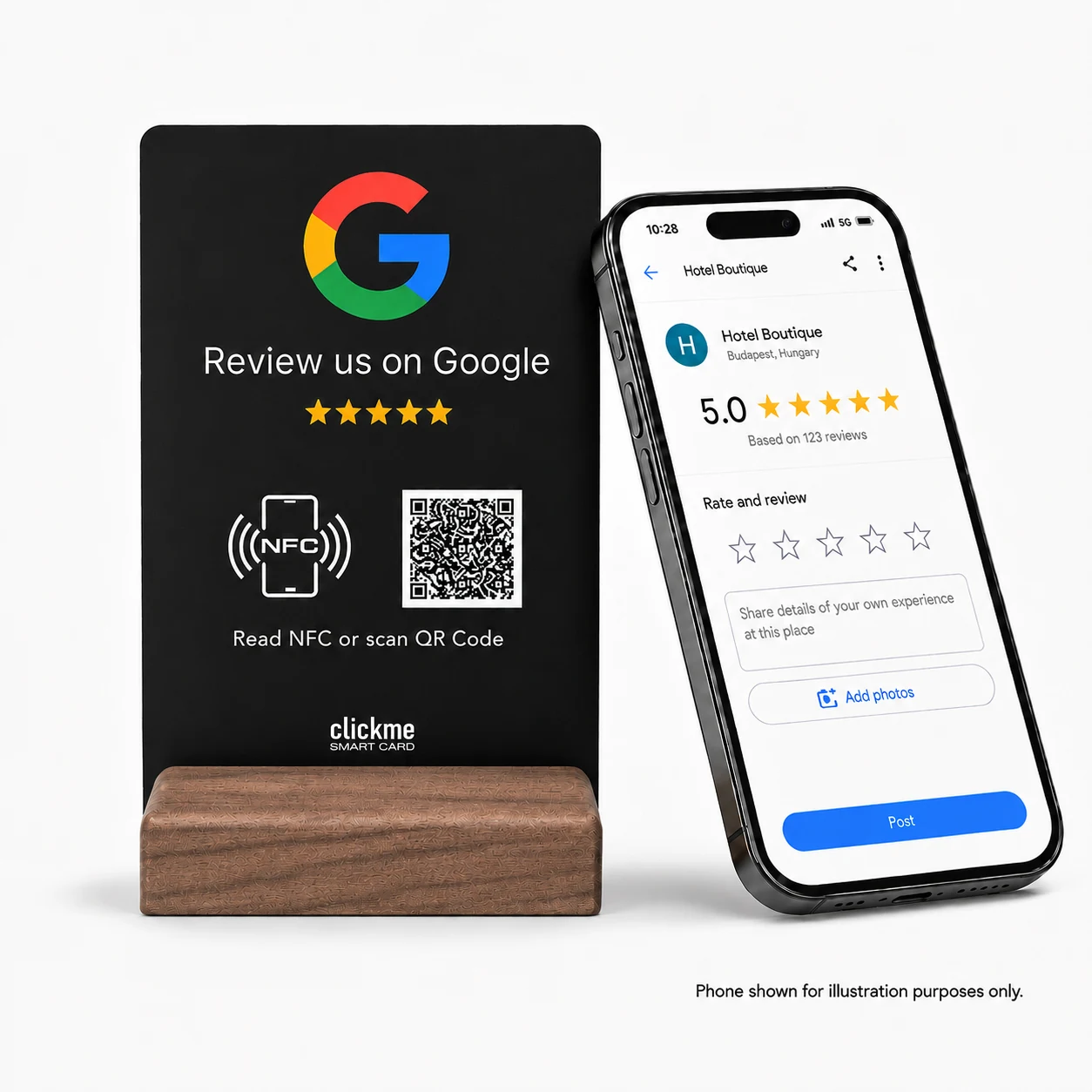
Choose a QR sticker when you need a simple, low-cost review link on a fixed surface. Choose an NFC and QR review stand when you want a movable, customer-facing display with both tap and scan options. Neither format guarantees more reviews. The right choice depends on your space, your customers and how you invite feedback.
A customer has just finished a meal, collected an order or paid for an appointment. You would like to make it easy for them to share their experience. Should you put a QR sticker on the counter, hand them a card or use a dedicated Google review stand?
This guide compares those options. We make ClickMe review products, but a freestanding display is not the best answer for every location. Here is how to decide whether it is worth choosing one for yours.
| Format | How customers use it | A practical fit | What to check |
|---|---|---|---|
| Printed QR sign | Scan a code printed on paper or a card. | Trying out a review invitation with materials you already have. | Print clarity, placement and whether the paper needs protection. |
| QR-only sticker | Scan a code attached to a surface. | Small spaces where a separate stand would get in the way. | Surface suitability, cleaning and scan visibility. |
| Handheld review card | Scan a QR code; some cards also offer NFC. | A portable option when there is no permanent counter. | It should be offered without pressure to submit a review. |
| NFC and QR review stand | Tap with a compatible phone or scan the code. | A reception desk, checkout area or other customer-facing surface. | Available space, phone access and the ability to update the destination. |
These are format differences, not a ranking of every product on the market. Some stickers include NFC. Some printed codes use editable links. Compare the actual features, not just the shape of the product.
A QR-only sticker can be a sensible starting point if you already know where the invitation should appear and do not need to move it regularly. It takes up little room and can sit alongside existing customer information.
For example, a compact takeaway counter may not have space for another object. A clearly labelled code on a suitable surface could be more practical than a stand squeezed between the payment terminal and collection area.
Before ordering a large batch, test one sample in its intended position. Can customers scan it without leaning awkwardly? Does glare interfere? Will it stay readable after routine cleaning? The answers matter more than how the design looks on your computer.
A stand is worth considering when the review invitation should have its own visible place. You can position it on a desk or counter and move it if the layout changes, without attaching it to furniture.
The two access methods give customers a choice. Someone familiar with NFC can tap with a compatible phone. Someone who prefers using the camera can scan the QR code instead. Test both routes; do not assume every phone behaves in the same way.
Consider a salon reception desk. A small, clearly placed stand can make feedback available without the stylist handing over a card after every appointment. At a hotel, it can sit near the end of the checkout journey without blocking the working area.
That does not prove a stand will outperform a sticker. It means the format may suit the location and the way your team works.
The destination is editable only if the solution behind the code or tag supports it. A QR code that directly contains a destination URL cannot have its printed contents changed. A code pointing through a managed redirect can keep the same appearance while the destination changes.
This distinction applies to stickers, cards and stands. NFC alone does not guarantee online link management, and a sticker is not automatically a static solution.
Ask the supplier what happens if you need a different destination, who controls the link and whether there are ongoing charges. Check that the solution opens the correct location when your business has more than one branch.
De ClickMe Google Review NFC and QR Code Display has a 100 × 150 mm PVC panel and a natural walnut base. It gives customers tap and scan options, and its destination link can be updated online. Optional setup assistance is available.
If you have seen it described as an A6-style display, use the actual 100 × 150 mm dimensions when planning your counter space. That is not the exact 105 × 148 mm size of an A6 sheet.
It is a practical option for businesses looking for a dedicated tabletop invitation instead of an adhesive label. Check the product page for current pricing and options before ordering.
Not simply because it uses NFC. Google explains that local results mainly depend on relevance, distance and prominence. Review numbers and positive ratings can help local ranking, but buying a particular display does not secure a position in Search or Maps. Read Google's local ranking guidance.
The device provides access to the review page. Customers still decide whether to leave feedback, and your service remains the reason for what they write. More page openings, more published reviews and more bookings are different outcomes.
Google allows businesses to request reviews based on genuine experiences, but prohibits incentives and selectively asking only for positive feedback. Do not require a particular rating or wording, pressure customers to review on the premises, or set staff review-solicitation quotas. See Google's review policies.
A simple invitation is enough: “If you would like to share your experience, you can use this review link.” Then leave the decision with the customer. Do not ask to inspect their review before they leave.
Customers need to be signed into a Google Account to post a Google review. Opening the page with NFC or a QR code does not remove that requirement. Google explains the review process here.
It can be a better fit for a visible, movable countertop invitation with two access methods. A QR-only sticker may be sufficient when space and initial cost are the main concerns. There is no guaranteed performance winner.
They do not need a ClickMe app to open the review link. NFC depends on the phone's compatibility and settings; QR scanning provides another route. Posting a review still requires a Google Account.
Yes, if its code points through a service that lets you change the destination. Check the provider's terms and costs rather than assuming all stickers require reprinting.
Choose a visible, accessible place that does not obstruct payment or service. Reception and checkout areas are possible starting points. Customers should be free to ignore the invitation.
No. It opens the destination page. The customer chooses whether to sign in, write feedback and submit it.
Yes. They can serve different spaces, provided the links lead to the correct business and the messages are consistent. Avoid turning every surface into a repeated request.
If a small fixed label meets your needs, start there. If you want a dedicated, movable display with both NFC and QR access, consider a review stand.
Explore the ClickMe Google Review Display to see its current options and choose the setup that suits your business.


 English English
 German
 French
 Spanish
 Italian
 Hungarian
 Romanian
 Greek
 Dutch
 Polish
 Turkish
 Arabic
