More reviews = more trust, better visibility, and more customers.
Want more Google reviews from happy customers — but not sure how to ask for them?
It all starts with sharing the right link. In this short guide, we’ll show you exactly how to find and share your Google review link, step by step.
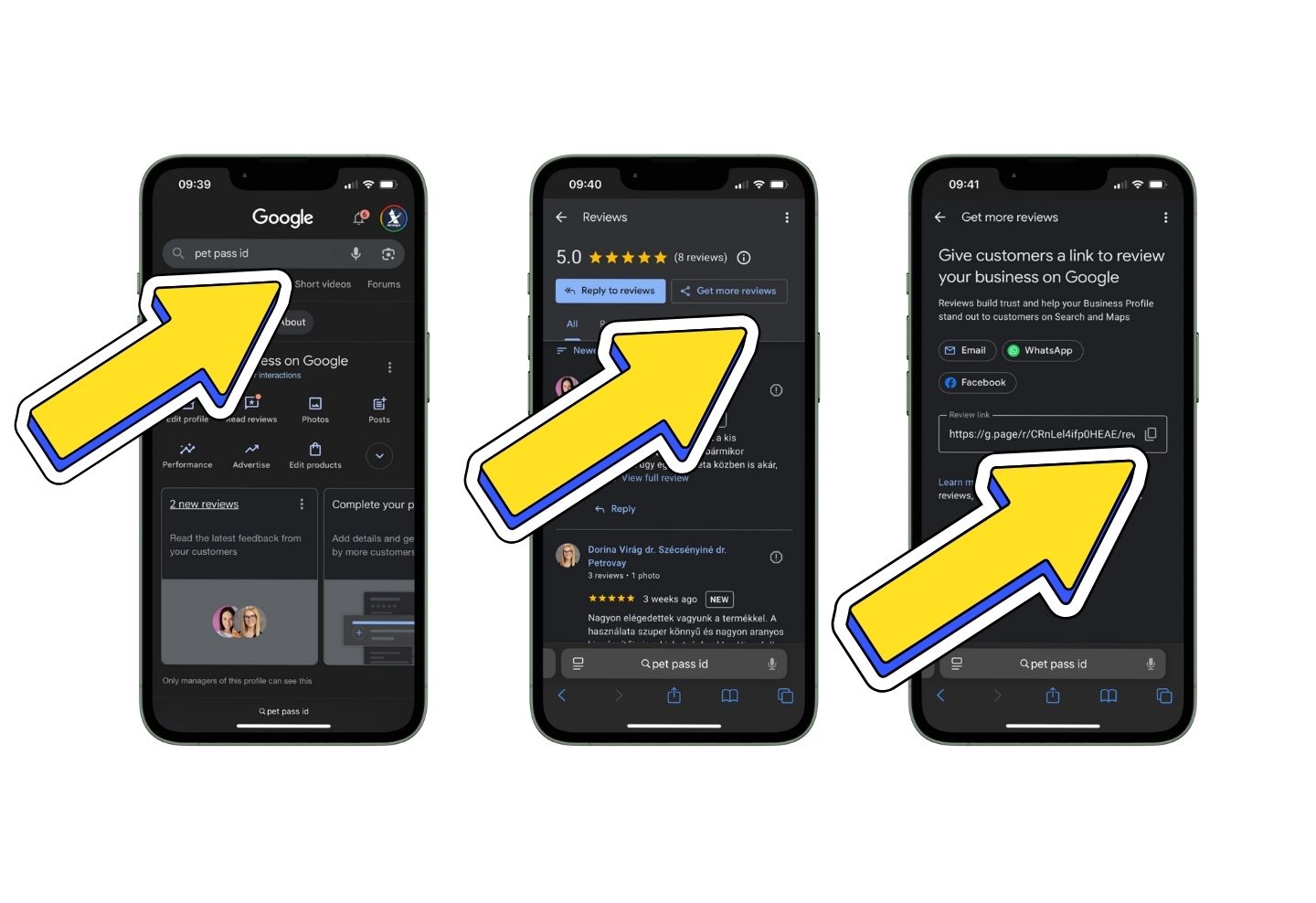
Step 1: Search for your business on Google
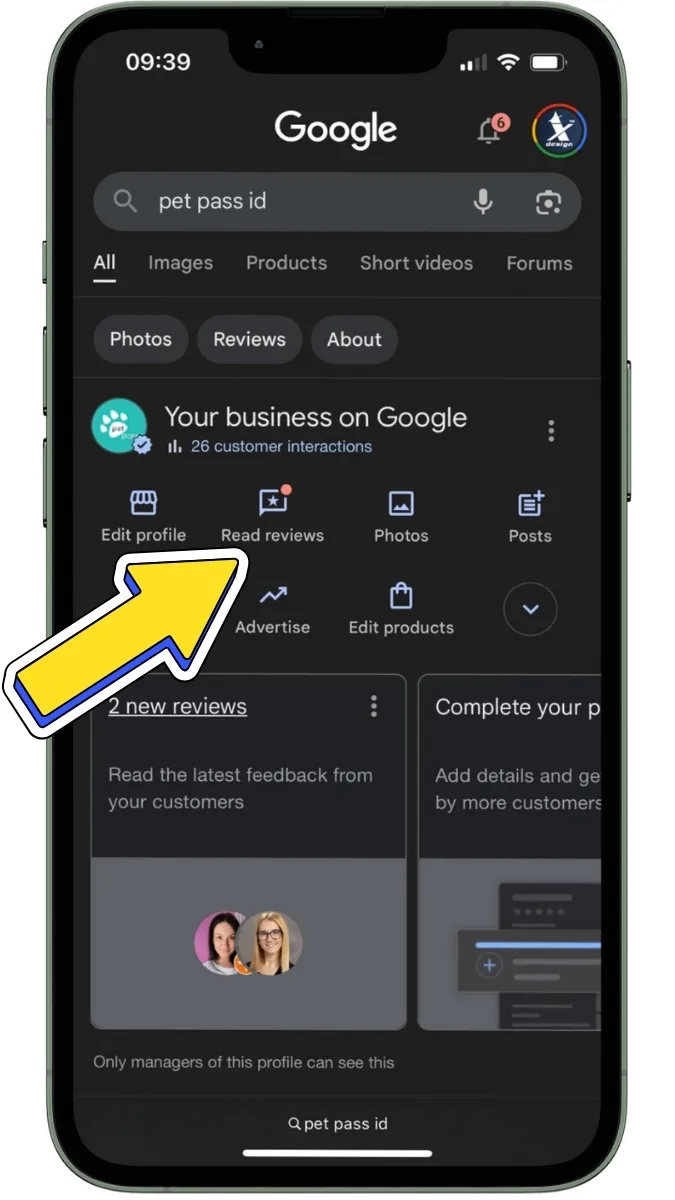
Step 2: Click the “Read reviews” button
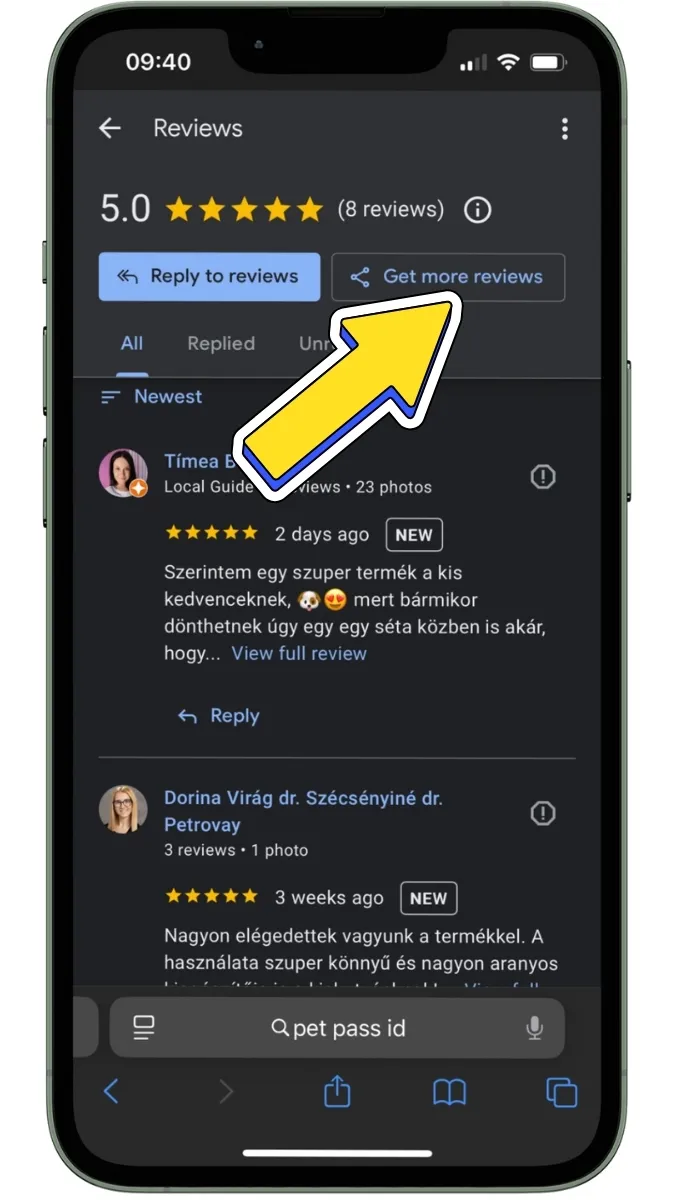
Step 3: Copy the link from the address bar
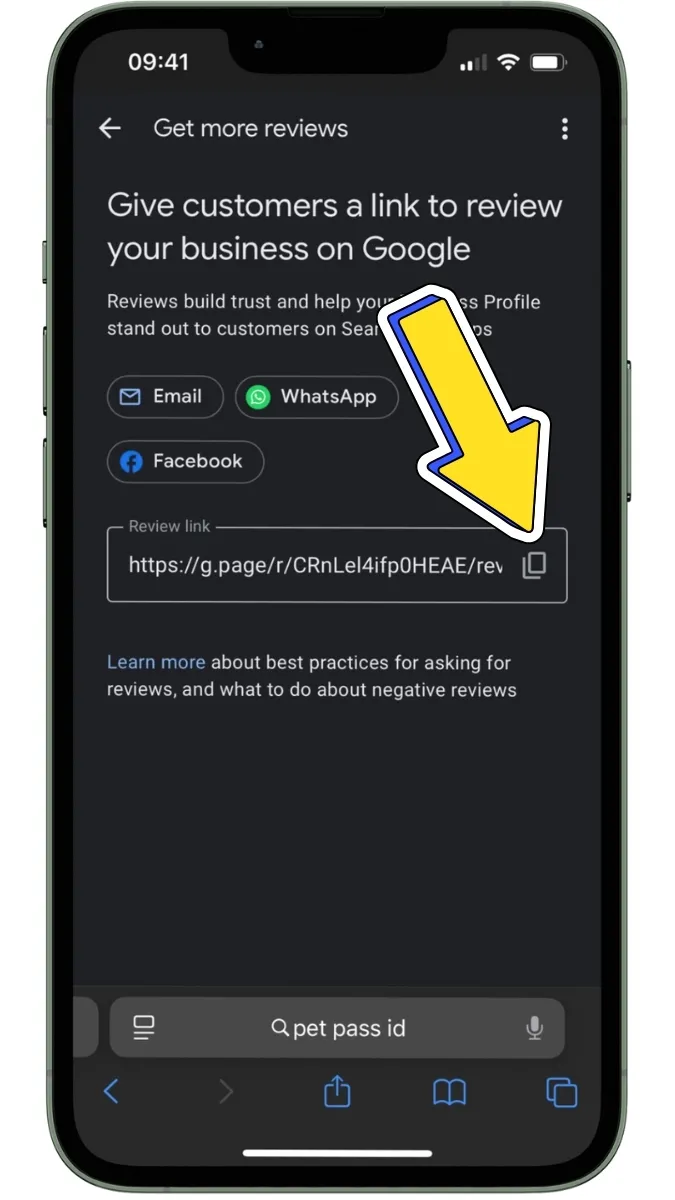
Now that you’ve got your review link, don’t let it go to waste!
Here are a few smart ways to share it:
Let’s be honest: most people won’t leave a review unless it’s super convenient.
That’s where ClickMe's smart products come in.
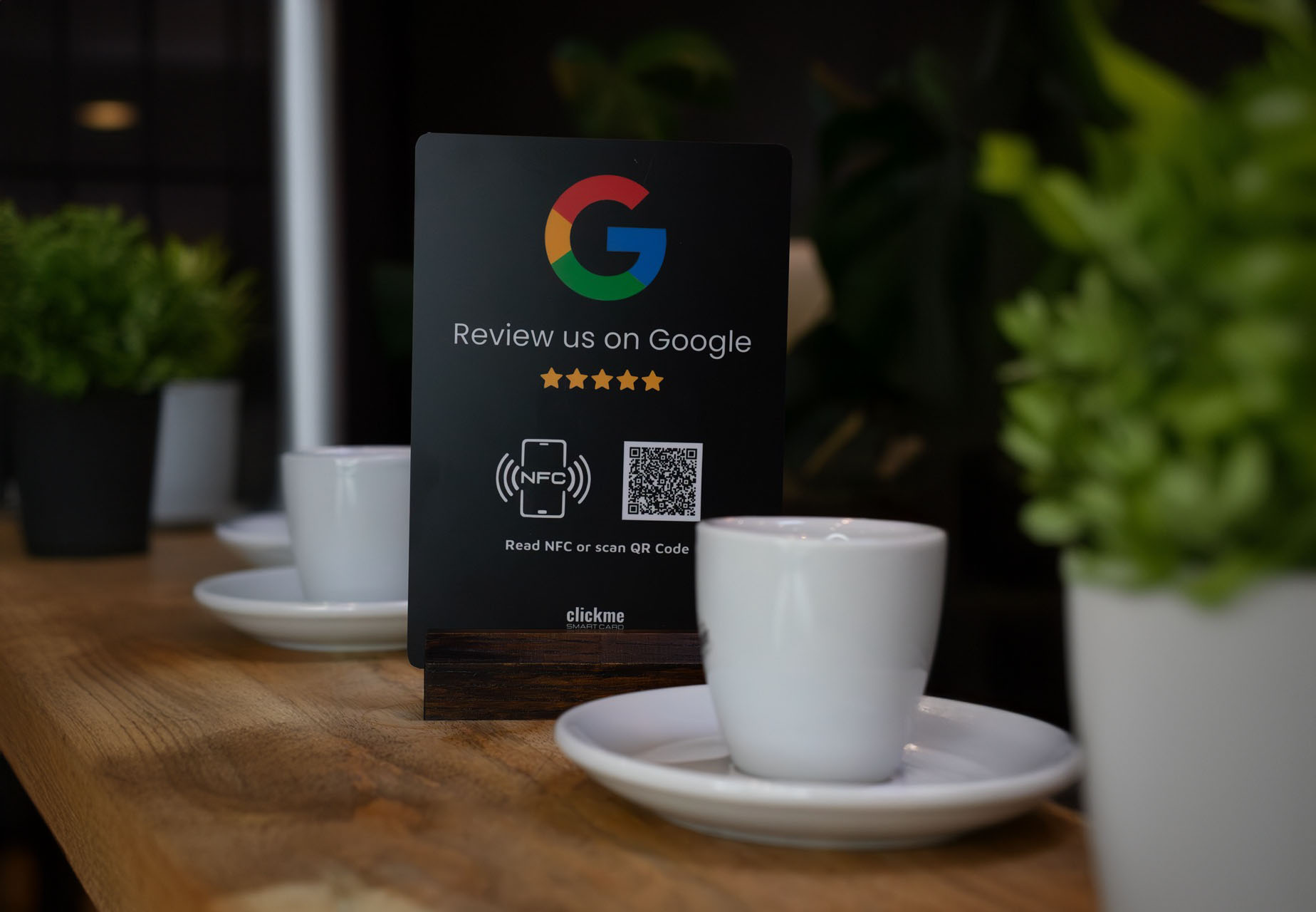
We create branded cards and desk signs with your Google Review link embedded.
Your customers just:
📈 Businesses using our cards have reported 8-10× more reviews within weeks.
It's easy, elegant, and professional—just like your service.
Getting reviews isn’t just about stars.
It’s about:
If you’re serious about growing your reputation, make it effortless for clients to leave reviews.
👉 Check out our Google Review Cards here »
Start today—because your next customer is already searching.